
If there’s a phishing page on your website, criminals have broken in and uploaded a fake login page, usually copying a bank, a delivery company or an email provider. They then send scam emails with links to it, using your good reputation to get past spam filters. You often won’t notice until Google flags your site, your host suspends it or a stranger complains.
Key takeaways
- Phishing pages sit in hidden folders on hacked sites. Your home page usually looks normal.
- Warning signs include Google’s “Deceptive site ahead” screen, a Search Console alert or an abuse notice from your host.
- Deleting the fake page isn’t enough. Find how they got in, or they’ll be back within days.
- Once it’s clean, ask Google for a review. It can take several days or weeks.
Why would criminals put a phishing page on my site?
Because your site is trusted and theirs isn’t. A brand-new domain looks suspicious to email filters and browsers. A small business site that has been around for years doesn’t, at least until it’s flagged.
Google says this directly: “hackers can take control of innocent sites and use them to host or distribute social engineering content” (Google Search Central). The owner is a victim too, but their domain carries the damage.
It’s a high-volume business. The Anti-Phishing Working Group tracked about 3.8 million phishing attacks in 2025 (APWG). In Australia, people lost $2.18 billion to scams in 2025 (ACCC), and fake login pages are one of the tools behind them.
How does a phishing page end up on a website?
The attacker gets in the same way as with most hacks: an outdated plugin, a stolen password or a weak hosting account. Then they upload a ready-made “phishing kit”, often a zip file that unpacks into a folder of pages copying a bank’s login screen.
The folder usually sits deep inside your site, for example in an uploads directory, with a harmless-looking name. Nothing links to it from your menus. Only people who click the scam email ever see it. That’s why owners are so often the last to know.

How do I know if my website is hosting a phishing page?
Watch for any of these:
- A “Deceptive site ahead” warning in Chrome when you or a customer visits your site.
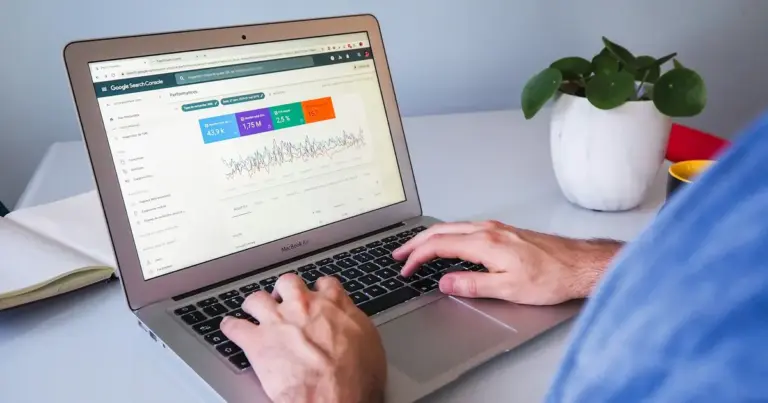
- An email from Google Search Console about security issues. The Security Issues report lists social engineering problems Google has found (Google Search Console Help).
- An abuse notice or suspension from your host. Our guide to a website suspended for malware covers that situation.
- Complaints from strangers who say they got an email linking to your domain.
- Unfamiliar folders or zip files in your hosting file manager, especially recent ones with bank or brand names.
Google’s warnings matter because they reach a lot of people. Safe Browsing protects “over five billion devices every day” (Google Safe Browsing), so a flag on your domain can turn away customers across browsers, not just in Google search.
What should I do if I find one?
Act quickly, because every hour the page stays up, more people may hand over their details. If you’re comfortable in a file manager, here’s the order. If not, call for help first.
- Take a backup of the current site. It’s infected, but it’s evidence, and it shows what changed.
- Remove the phishing folder and any zip files. Note the dates on the files, because they point to when the break-in happened.
- Look for other changes. Check for unknown admin users, new plugins and changed files from around the same date. Sucuri found backdoors on 49% of compromised sites (Sucuri).
- Close the way in. Update or remove vulnerable plugins and themes, and change every password: WordPress, hosting, SFTP, database and email.
- Check Search Console. Confirm no unfamiliar owners have been added, as Google advises.
- Request a review. Google says you must fix the problem on every page first, and that most reviews “can take several days or weeks”.
For the full clean-up process, see our guide for when your website is hacked. If the hack has also added spam pages for pills or knock-off goods, that’s a pharma hack, and it needs cleaning up as well.

Am I responsible if my site was used for phishing?
You didn’t create the scam, but your domain is on it, and the damage to trust is real. Customers who were targeted may link the scam to your business. Email providers may start treating your domain’s emails as suspicious, which hurts your normal email too.
If the attackers also reached customer data stored on your site, the Notifiable Data Breaches scheme may apply, depending on your business (OAIC). Get advice if you’re unsure.
How do I stop it happening again?
Most phishing kits arrive through the same doors as other hacks, so the defence is the same: keep everything updated, use strong unique passwords with two-factor login, and scan for changes every day. Secure web hosting that isolates accounts limits the damage if one site is breached.
Our hacked website repair service removes the infection and closes the way in. After that, our website maintenance plans add daily malware scans, blacklist monitoring and off-site backups, and sites on Maintain & Protect are covered by our “hack-free or we fix it free” promise.
Frequently asked questions
Why does my site look normal if it’s hosting a phishing page?
Because the phishing page is separate from your real pages. It lives in a hidden folder with no links from your menus, and only people who click the scam email see it. Attackers want your site to look normal, so you don’t go looking and they can use it for longer.
How long does it take to remove a “Deceptive site ahead” warning?
Once the site is clean, request a review in Google Search Console. Google says most reviews take several days or weeks, and it emails you when the review is complete. Don’t submit a second request while the first is still pending, and make sure every affected page is fixed first.
Is deleting the phishing folder enough?
No. The folder is the result of the hack, not the cause. Unless you find and close the way in, and remove any backdoors left behind, the attackers can simply upload it again. In our experience, a phishing kit that comes back within days is a sign that a backdoor was missed.
Should I tell my customers?
If the scam emails used your domain or your brand, a short, factual notice helps. Tell customers you’ll never ask for bank details by email, and how to check a message is genuine. If customer data on your site may have been accessed, get advice about your obligations under the Privacy Act.
Can I restore a backup instead of cleaning the site?
Sometimes, if you have a clean backup from before the break-in and you also fix the weakness that let them in. Restoring alone just puts the same open door back. Check the dates on the phishing files to choose a backup taken before they appeared.


Sources
- Social engineering (phishing and deceptive sites), Google Search Central, accessed 13 November 2026
- APWG Year in Review: Scams explode in 2025, Anti-Phishing Working Group, 23 February 2026
- Annual scam losses exceed $2 billion, ACCC, 30 March 2026
- Security Issues report, Google Search Console Help, accessed 13 November 2026
- Google Safe Browsing, Google, accessed 13 November 2026
- 2023 Hacked Website and Malware Threat Report, Sucuri, June 2024
- Quick reference guide for responding to data breaches, OAIC