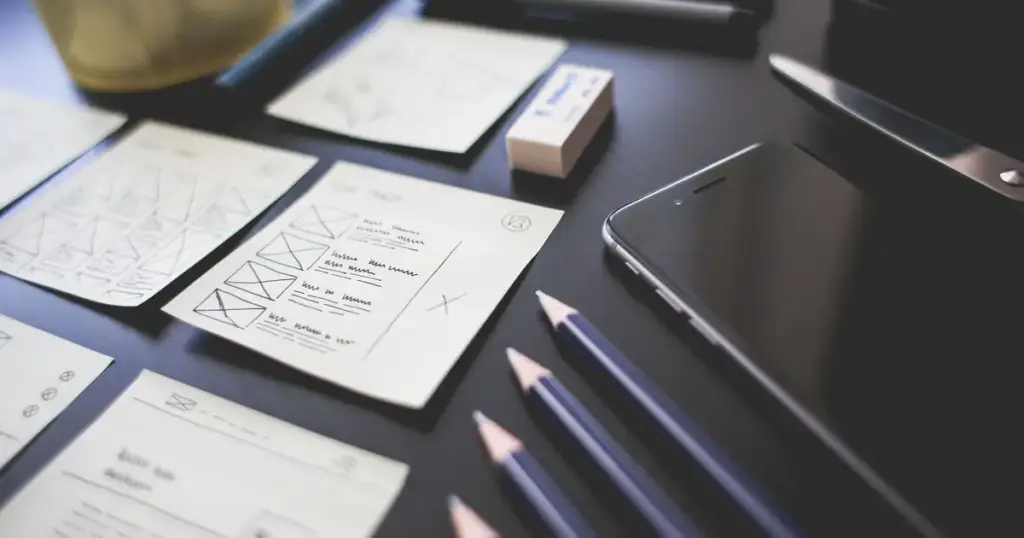
Keep and improve your website if it still fits your business, runs on a supported platform and works well on phones. Redesign if any of those is no longer true, or if the fixes you need would cost more than starting again. The four-question flowchart below sorts most ageing sites in a few minutes.
Key takeaways
- A refresh fixes what’s there: speed, images, copy, forms and small layout changes.
- A redesign changes the structure, look and usually the build. It’s a bigger project with a longer payoff.
- An unsupported platform, a poor phone experience or a business that has moved on all point to a redesign.
- Whichever path you take, the site still needs updates, backups and security checks.
What’s the difference between a redesign and a refresh?
A refresh improves the site you have. The pages, structure and platform stay. The work targets specific problems: slow pages, heavy images, weak calls to action, out-of-date copy or a clumsy form.
A redesign starts from what the business needs now. It usually means new page structure, new design and often a new build on a current theme. It costs more and takes longer, but it resets the clock on a site that has fallen behind.
The mistake we see most is choosing by mood. A site can look a bit tired and still be sound underneath. Another can look fine and be running on software that stopped getting security fixes years ago.
The redesign or maintain flowchart
Work through these four questions in order. The first “no” tells you which way to go.
1. Does it still fit your business?
If you’ve added services, changed your audience or refreshed your brand, the site’s structure probably no longer matches how you sell. Moving text around inside an old layout rarely fixes that. If your branding is changing too, our guide to a brand refresh helps you decide how far to go.
2. Is the platform still supported?
Check three things: the PHP version, the theme and the page builder. PHP 8.1 and older no longer get security fixes, and PHP 8.2’s security support ends on 31 December 2026, according to the PHP project. A theme or builder whose developer has stopped releasing updates is a dead end too. Sometimes it’s just a matter of updating; if the site breaks on current software, it needs a rebuild.
3. Does it work well on a phone?
In October 2026, 48.6% of Australian web traffic came from mobiles (StatCounter). Google now indexes the mobile version of sites, having completed its move to mobile-first indexing in 2023 (Google Search Central). A site that was designed for desktop and squeezed onto phones usually needs a redesign, not a patch.
4. Can targeted fixes solve it?
If the answers so far are yes, the problem is usually specific: speed, enquiries or content. Those are what improvement work is for, and they cost a fraction of a rebuild.

What can improvements fix without a redesign?
More than most owners expect. Common wins include:
- Speed. Google’s “good” thresholds are a largest contentful paint within 2.5 seconds, interaction responses within 200 milliseconds and a layout shift score of 0.1 or less (web.dev). Our guide to speed up WordPress ranks 20 fixes by impact.
- Images. Oversized photos are the most common cause of slow pages. Here’s how to optimise images for web without losing quality.
- Enquiries. Clearer headings, a visible phone number and shorter forms often help more than a new design. See our ideas to improve website conversion.
- Content. Updated services, prices, staff and photos make an older site feel current.
- Housekeeping. Broken links, mixed content warnings and dead plugins.
This is the website speed and improvement work we do for sites that are worth keeping. We’ll also tell you if we think yours isn’t.
When is a redesign the better value?
Improvements stop making sense when you’re fighting the site. Watch for these signs:
- Each small change takes hours, or breaks something else.
- Your theme or builder can’t be updated without the layout falling apart.
- You’re adding online sales, bookings or a client area the site was never built for.
- The business has rebranded, merged or changed direction.
- You’ve spent more on patches in two years than a new site would cost.
For a redesign, our sister studio 21 Designs has designed websites for Australian businesses for almost 15 years. A rebuild is also the right moment to move to current WordPress hosting in Australia with a supported PHP version from day one.

What does waiting cost?
Putting off the decision isn’t free. Sucuri found that 39.1% of content management systems were out of date when they were infected (Sucuri). An ageing site that nobody updates is the most likely to be hacked, and a hacked site is the most expensive way to discover you needed a rebuild.
So whichever way the flowchart sends you, keep the current site safe in the meantime. Our website maintenance plans cover updates, off-site backups, malware scanning and uptime monitoring, and they continue on the new site once it launches.
Frequently asked questions
How often should a business website be redesigned?
There’s no fixed cycle. A well-built site that’s kept updated can serve for many years with regular improvements. Redesign when the business changes, the platform falls out of support or the site no longer works well on phones, not because a set number of years has passed.
Is a website refresh cheaper than a redesign?
Usually, much cheaper, because the structure, content and build stay. It only stays cheaper while the platform is sound. If every fix fights an outdated theme, the costs add up and a redesign becomes better value.
Will a redesign hurt my Google rankings?
It can if pages change address without redirects or useful content is removed. Plan redirects from every old page to its new equivalent, keep the content that ranks and test the new site before launch. Done carefully, a redesign often improves rankings.
How do I check my site’s PHP version?
In WordPress, go to Tools, then Site Health, then Info, and open the Server section. Your hosting control panel shows it too. PHP 8.1 and older are past security support, and 8.2 joins them at the end of 2026.
Can I keep my content if I redesign?
Yes. Most redesigns reuse the existing text, images and blog posts, often after a tidy-up. Moving content to a new design is normal, and it’s a good chance to cut pages nobody reads.


Sources
- Supported versions, PHP.net, November 2026
- Desktop vs mobile vs tablet market share, Australia, StatCounter, October 2026
- Mobile-first indexing has landed, Google Search Central, 31 October 2023
- Web Vitals, web.dev
- 2023 Hacked Website and Malware Threat Report, Sucuri, June 2024