
Key takeaways
- A website health check looks at five things: security, speed, search visibility, whether everything works, and whether your business details are current.
- You can run all 20 checks below in an afternoon with free tools and no technical skills.
- Write down every “no” as you go. That list becomes your to-do list, or your brief for whoever helps.
- Some things, such as hidden malware and server settings, can’t be checked from the outside. That’s where a professional audit helps.
A website health check is a structured review of your site’s security, speed, search visibility, functions and content. It tells you what’s working, what’s quietly broken and what to fix first. The 20-point audit below takes two to three hours, uses free tools, and needs nothing more technical than a login to your website.
Grab a notepad, open your site in a browser, and tick each item off as you go.

How do I check my website’s security?
Start here, because security problems are the most expensive to ignore. These six checks cover the basics an owner can see.
- Is the padlock showing on every page? Visit your home page, a contact page and any checkout. Each should load on https:// with no “Not secure” warning. Click the padlock to see when the SSL certificate expires.
- Is Google flagging your site? Enter your domain into Google’s Safe Browsing site status tool. If it reports unsafe content, treat it as urgent: visitors may be seeing a red warning page.
- Is everything up to date? In WordPress, go to Dashboard, then Updates. Note anything waiting. In 2025, 91% of new WordPress vulnerabilities were in plugins (Patchstack).
- Are there plugins or themes you don’t use? Delete inactive ones rather than leaving them switched off. Patchstack found 46% of vulnerabilities had no fix when they were disclosed, so fewer plugins means fewer unpatched doors.
- Do you recognise every admin user? Go to Users and filter by Administrator. Remove anyone who has left, and question any name you don’t know. Sucuri found malicious admin users in 55% of infected databases it cleaned (Sucuri).
- Is two-factor login switched on? Every admin account should need a code from a phone app, not just a password. If you’re not sure, try logging in from a private browser window and see what it asks for.
How fast is my website?
Speed affects both visitors and Google. Mobile and desktop are now an almost even split of Australian web traffic, at 48.6% and 48.5% in October 2026 (StatCounter), so test both.
- Run PageSpeed Insights. Paste your home page into PageSpeed Insights. Look at the mobile result first. Then test your most important service or product page too.
- Check the Core Web Vitals. Google’s “good” targets are a Largest Contentful Paint of 2.5 seconds or less, Interaction to Next Paint of 200 milliseconds or less, and Cumulative Layout Shift of 0.1 or less (web.dev). Note any that are amber or red.
- Look for oversized images. PageSpeed Insights lists images that could be smaller. Photos uploaded straight from a phone or camera are the most common cause of a slow page.
- Use it on your own phone. Load the site on mobile data, not Wi-Fi. Can you read the text without zooming? Do buttons work with a thumb? Does anything jump around as the page loads?
Can Google find my website?
A site that looks fine can still be invisible to search. These checks take about 20 minutes.
- Search for your business name. Does your site appear first? If not, note what does.
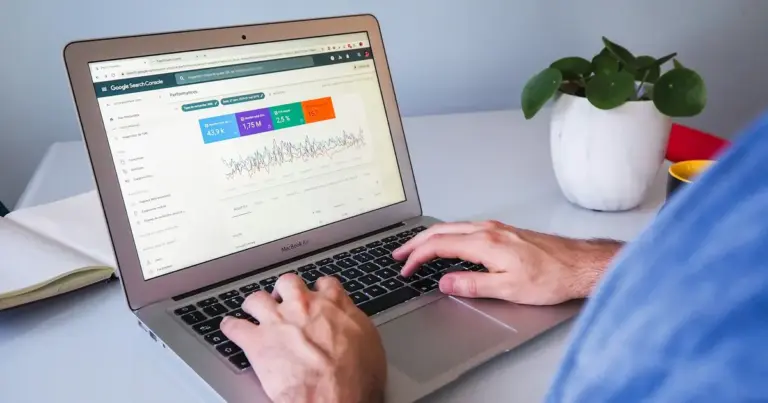
- Open Google Search Console. Search Console is free and shows how Google sees your site. Check the Pages report for pages that aren’t indexed, and note any warnings.
- Make sure the site isn’t hiding from search. In WordPress, go to Settings, then Reading, and make sure “Discourage search engines from indexing this site” is unticked. WordPress’s own Site Health screen also reports this setting.
- Check page titles and descriptions. Look at your listing in Google. Does each important page have a clear, unique title and a description that makes someone want to click?
Does everything on my website actually work?
This is where we most often find costly surprises. A broken form doesn’t announce itself. It just stops the enquiries.
- Test every form. Fill in each contact, quote and booking form yourself. Did the email arrive, and did it land in the inbox rather than spam?
- Test the checkout, if you have one. Place a real low-value order or use the payment gateway’s test mode. Check the confirmation email and the order in your back end.
- Look for broken links. Click through your main menu, footer and key buttons. Search Console’s Pages report also lists pages returning “Not found (404)”.
- Run WordPress Site Health. Go to Tools, then Site Health. It lists critical issues and recommended improvements, such as an outdated PHP version or plugins waiting to update.
Is my business information up to date?
- Check the details customers rely on. Phone number, email, address, opening hours, prices, team and services. Read them as a stranger would.
- Know your renewal dates and your backups. Find when your domain name expires. A lapsed .au domain stops your website and email working during auDA’s 30-day grace period, then is released to anyone (auDA). Also confirm a recent backup exists offsite and that someone has tested restoring it.
How do I read my results?
Count your ticks. The score isn’t scientific, but it’s a useful guide to how urgent things are.
Whatever your score, fix things in this order: anything that suggests the site is hacked, then backups, then updates, then forms, then speed and search. Security and backups protect everything else.
If your crosses are mostly about the server, such as slow response, an outdated PHP version or the site going down, the fix may be your hosting rather than the site. Managed hosting takes care of the server side, including PHP versions and resources.
What can’t I check myself?
An owner’s health check has limits. You can’t easily see hidden malware or backdoor files, the security settings inside your hosting, whether your backups really restore, or how your plugins behave under load. Those need server access and experience.
For those, book our Free Security & Speed Audit. We’ll look at your site’s security and speed and tell you, in plain English, what’s urgent and what can wait.
If you’d rather keep the whole list ticked without thinking about it, that’s what our Maintain & Protect website care plans are for. To budget for it, see our guide to website maintenance cost in Australia. Building a new site instead? Start with our website launch checklist.

Frequently asked questions
What is a website health check?
A website health check is a structured review of a site’s security, speed, search visibility, functions and content. It finds problems before customers do, such as an expiring certificate, outdated plugins, a broken form or old contact details. Owners can do a basic version themselves, and a professional audit goes deeper into the server and code.
How often should I run a website health check?
A quarterly check suits most small business sites, plus a quick one after any major change such as a redesign, a new plugin or a hosting move. If your site takes payments or bookings, test forms and checkout more often, because a silent failure there costs money every day it goes unnoticed.
Is there a free website audit tool?
Several free tools cover parts of it. PageSpeed Insights tests speed and Core Web Vitals, Google Search Console shows indexing problems, Google’s Safe Browsing site status checks for warnings, and WordPress’s Site Health screen lists configuration issues. No single free tool covers everything, which is why a checklist helps.
What should I fix first?
Start with anything suggesting the site is hacked or flagged by Google, then make sure you have a working offsite backup. After that, apply updates, remove unused plugins, and test every form and checkout. Speed and search improvements come next. Security and backups protect all the other work, so they always come first.
Can a health check find malware?
An owner’s check can spot signs of malware, such as a Google warning, strange admin users or unexpected redirects. It can’t reliably find hidden backdoor files or injected code, which often look normal from the outside. That needs a server-side scan and an experienced eye, so a professional audit is the next step.
Sources
- State of WordPress Security in 2026, Patchstack, accessed 13 Nov 2026
- 2023 Hacked Website and Malware Threat Report, Sucuri, published June 2024
- Desktop vs Mobile vs Tablet Market Share Australia, StatCounter, October 2026
- Web Vitals, Google web.dev, accessed 13 Nov 2026
- Safe Browsing site status, Google Transparency Report, accessed 13 Nov 2026
- PageSpeed Insights, Google, accessed 13 Nov 2026
- About Search Console, Google, accessed 13 Nov 2026
- Site Health screen, WordPress.org, updated 12 Jul 2026
- Renewing your domain licence, auDA, accessed 13 Nov 2026